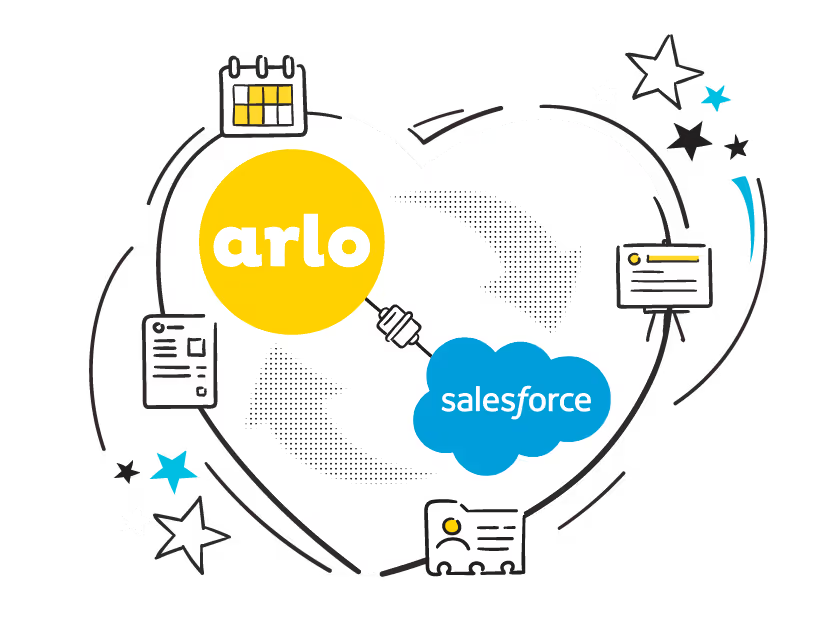
Take control of your training operations with a real-time two-way sync integration between Arlo and Salesforce. Ensure your leads, contacts and organizations are always in the right place. Get set up in minutes, map your custom fields and take advantage of an integration built to empower the delivery of great learning.

Built on webhook technology, get an instant two-way sync of contacts and organizations between your Arlo platform and Salesforce, ensuring updates and edits to either system are fast and reflected in both platforms instantly. Simplify contact merges and duplicate records with features within the integration that keeps your organizational data accurate and up-to-date.
Getting started with Arlo for Wordpress is as easy as installing our Plugin and following our detailed guide!
Arlo has been built with web developers and designers in mind. Prebuilt themes make it easy to install, while the extensive range of shortcodes offer maximum flexibility.

Built on webhook technology, get an instant two-way sync of contacts and organizations between your Arlo platform and Salesforce, ensuring updates and edits to either system are fast and reflected in both platforms instantly. Simplify contact merges and duplicate records with features within the integration that keeps your organizational data accurate and up-to-date.
View all your current and historical Arlo courses right within Salesforce. Course information and registrant’s details get automatically updated including registration info, grades, attendance data and more. Get greater flexibility in managing your sales pipeline, ensuring your training leads are sent directly to Salesforce, for your sales team to close.


View your accounts full course history in one place you'll have access to a comprehensive history of your accounts past training sessions. With just a few clicks, you can delve deeper and access detailed information about each course and its attendees.
Welcome powerful recording measures that provide you instant detail on the status of a record. If you encounter errors, you’ll get a detailed log showing exactly when, where and why the error occurred for simple troubleshooting. You’ll save time with accurate details, and free up your key engineering resources.

Designed for training businesses, allow your Salesforce developers full access to training and event information so they can easily extend the solution.
Configuration individual field mappings on each Salesforce object and choose how conflicts between the systems are managed to ensure data is always accurate.
Improve your targeting and campaign success, with access to training and event information from your Salesforce platform. Target clients based on specific rules or activity to sell more courses.
Improve the registration experience with flexible forms built into your Arlo powered website. Once a student registers, leads are created and automatically passed through as an opportunity in Salesforce for your sales team to manage.
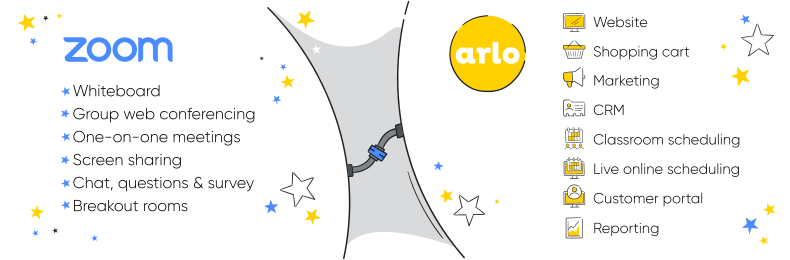
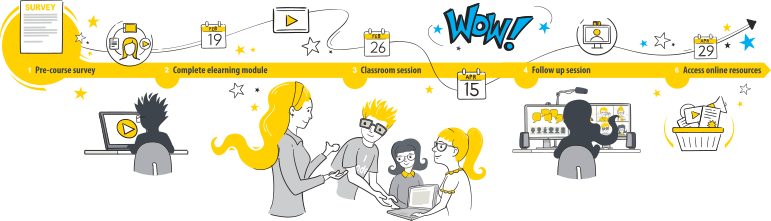
Arlo lets you create courses that consist of multiple live online Zoom sessions, face-to-face events, and elearning activities. Link up to 100 hosts for quick access and selection.
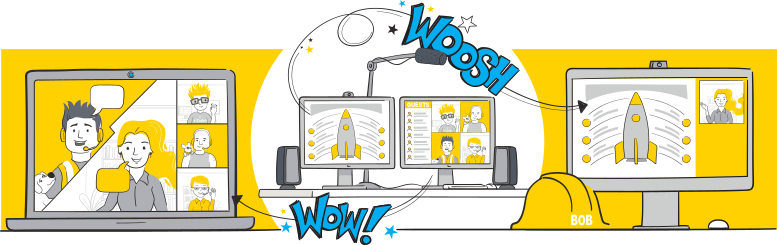
Zoom’s interactive video conferencing and screen sharing tools create a whole new way of communicating.
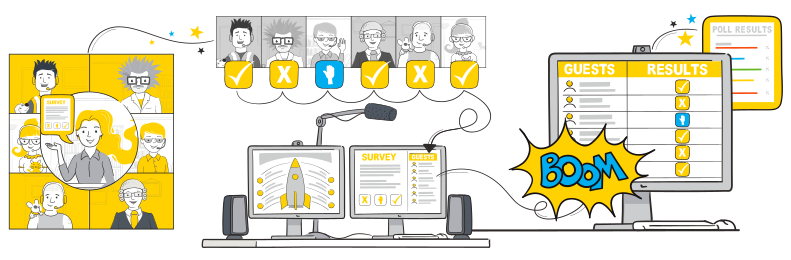
Create meaningful interactions to keep learners engaged. With Zoom, ask learners for a simple yes/no response or post a survey and view the results live. Registrants can even raise a virtual hand if they need help.
Emulate classroom breakout sessions in Zoom. Allow small groups of participants to work on a topic, then pull everyone together and share the results. Use virtual whiteboards and chat messaging to facilitate the interactions.
With Zoom Whiteboard, you can brainstorm and collaborate on a persistent, expandable, digital canvas. In-person and remote learners can ideate from Zoom-enabled devices, providing the intuitive features you need to extend learning and understanding.
Built on webhook technology, get an instant two-way sync of contacts and organizations between your Arlo platform and Salesforce, ensuring updates and edits to either system are fast and reflected in both platforms instantly. Simplify contact merges and duplicate records with features within the integration that keeps your organizational data accurate and up-to-date.
View all your current and historical Arlo courses right within Salesforce. Course information and registrant’s details get automatically updated including registration info, grades, attendance data and more. Get greater flexibility in managing your sales pipeline, ensuring your training leads are sent directly to Salesforce, for your sales team to close.
View your accounts full course history in one place you'll have access to a comprehensive history of your accounts past training sessions. With just a few clicks, you can delve deeper and access detailed information about each course and its attendees.
Welcome powerful recording measures that provide you instant detail on the status of a record. If you encounter errors, you’ll get a detailed log showing exactly when, where and why the error occurred for simple troubleshooting. You’ll save time with accurate details, and free up your key engineering resources.
Some of the world’s leading training companies have been able to pivot to live online training in the wake of Covid-19 using Arlo and Zoom. Join them!







Built on webhook technology, get an instant two-way sync of contacts and organizations between your Arlo platform and Salesforce, ensuring updates and edits to either system are fast and reflected in both platforms instantly. Simplify contact merges and duplicate records with features within the integration that keeps your organizational data accurate and up-to-date.
View all your current and historical Arlo courses right within Salesforce. Course information and registrant’s details get automatically updated including registration info, grades, attendance data and more. Get greater flexibility in managing your sales pipeline, ensuring your training leads are sent directly to Salesforce, for your sales team to close.
View your accounts full course history in one place you'll have access to a comprehensive history of your accounts past training sessions. With just a few clicks, you can delve deeper and access detailed information about each course and its attendees.
Welcome powerful recording measures that provide you instant detail on the status of a record. If you encounter errors, you’ll get a detailed log showing exactly when, where and why the error occurred for simple troubleshooting. You’ll save time with accurate details, and free up your key engineering resources.
Designed for training businesses, allow your Salesforce developers full access to training and event information so they can easily extend the solution.
Configuration individual field mappings on each Salesforce object and choose how conflicts between the systems are managed to ensure data is always accurate.
Improve your targeting and campaign success, with access to training and event information from your Salesforce platform. Target clients based on specific rules or activity to sell more courses.
Improve the registration experience with flexible forms built into your Arlo powered website. Once a student registers, leads are created and automatically passed through as an opportunity in Salesforce for your sales team to manage.
Some of the world’s leading training companies have been able to pivot to live online training in the wake of Covid-19 using Arlo and Zoom. Join them!